Posts

Showing posts with the label outlook

How to fix: Outlook on iOS/iPhone: "No Internet Connection"
Image
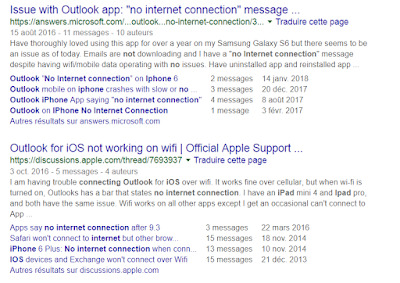
Microsoft Outlook is probably one of the best (if not the best) email client for iOS to date. Sadly, you may run into a random annoying problem which basically renders the application useless: it displays a message saying " No internet connection ", at which point you can't receive or send emails anymore. The number of people having this issue is incredibly high, as I discovered when it happened to me yesterday: After reading all of these posts and many more, there did not appear to be a particular solution for this. I had already checked the following: my Internet was of course working properly, on both WiFi and 4G I made sure to allow data/internet usage for the Outlook app I made sure my email accounts were working properly (they work fine on the Outlook desktop app & web) I tried enabling or disabling push notifications but that did not help I tried to use the 'reset account' functionality in the Outlook app settings for each of the accoun...

Outlook 2010 stuck in safe mode - just uninstall KB3114409

Image
Yesterday (December 9th, 2015) Microsoft rolled out a faulty update for Microsoft Office 2010 (KB3114409) which accidentally causes Outlook 2010 to start in safe mode systematically , ignoring registry and computer settings. To solve the problem, simply go to the "Programs and features" control panel applet, click on "View installed updates", search for KB3114409, and uninstall it . After you reboot your computer, Outlook will start normally again. This solution has been tested successfully at work for dozens of users. Microsoft stated: “ After you install this update, Outlook 2010 may start only in safe mode. If this issue occurs, uninstall the update. This update is no longer available now. " Source: Microsoft message boards

Outlook 2007: replying to multiple emails or senders

Image
Today, I received about 60 emails from my students who were handing in their assignments. Normally, I would just ask them to assume that I have received their emails correctly, but since we had trouble with the Internet connection, most of my students wanted to make sure I had received their work in due time. So I decided to send a kind confirmation reply to all the students that emailed me their work. So here I go, opening Microsoft Outlook 2007 , selecting multiple emails, right click to find the option " Reply to all " ... horror! It's not there! There's no apparent way to reply to all my students at once. What's worse is there isn't even an option to collect email addresses from people who emailed me (I would then have created one email with all recipients in BCC). How it works, in a nutshell After Googling it for about an hour, turns out there is no regular solution to perform such a basic operation. All the solutions I found involved installation o...