Posts

Sublime Text vs phpDesigner vs PhpStorm
Image
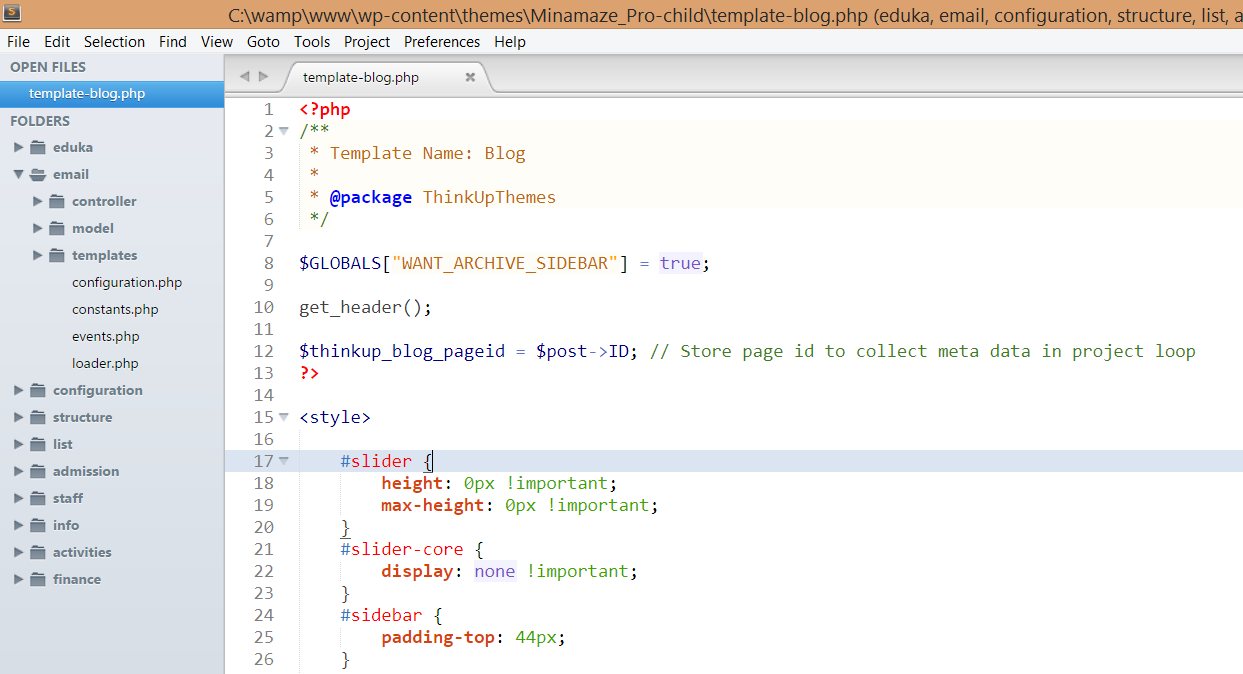
Lately I have been trying out several IDE solutions in order to improve my development productivity. Working on large projects made me realize that I was probably not using the right tools. Over the past year I have tried three in particular and I've got a clear winner here. So clear in fact that I thought I should write about it. The three solutions that I am comparing are: Sublime Text (multi-platform, loaded with plugins), $70 phpDesigner (Windows only), 29€ PhpStorm (multi-platform), $99 They all have trial periods so you are free to try them out for a limited time. Also please bear in mind that I am only working on PHP projects, so if that is not the case for you, you might find this article irrelevant. Sublime Text I was originally using Notepad++ as code editor, but when I started working on larger projects I quickly felt the need for something more. I was recommended Sublime Text by a friend. Let me list the pros and cons of the solution before discussi...

HTTPS with Nginx: setting up an SSL certificate in 3 simple steps

This article will explain how to serve content securely over HTTPS via Nginx . This can be done in 3 simple steps detailed below. It's unbelievably easy! I've even added an optional step for optimization, and links for further readings. The three steps are as follows: Step 1: preparing your private key and CSR  Step 2: obtaining an SSL certificate Step 3: Nginx SSL configuration This post is valid as of October 2014, tested with Nginx 1.2, Nginx 1.4 and Nginx 1.6 (probably works with every version above 1.2). For older versions, directive names might change just a tiny bit but the rest of the process should otherwise work normally. Requirements You will need to have OpenSSL installed on your server. To find out whether OpenSSL is installed on your server, type " openssl version ". It should tell you the version you are running. I recommend version 1.0.1 at least because it supports several features which will come in handy in future tutorials (inc...

1,000,000 page views on this blog!

Just a quick self congratulation post: 6 years after the launch of this blog, I've already received 1,000,000 page views! The milestone was reached last week while I was away. This has led me to realize that I should probably update this blog a little more. I've got two articles coming up: - How to set up an SSL certificate on Nginx to serve HTTPS content - How to enable SPDY on Nginx Thank you for visiting!

jQuery UI dialog centering ultimate fix

Image
UPDATE OCTOBER 2014 : jQuery UI was recently updated and the dialogs finally position correctly at the center of the screen! Don't specify any position for your dialog and it'll in the right place by default. Glad they got that sorted out! [This post is now obsolete] I have been having issues positioning jQuery UI dialogs for a long time. What I expect from a modal dialog is simple: it must be centered on the screen if I scroll the page, the dialog should still be at the center of the screen (fixed position) when I invoke the dialog for example by clicking a link, the page must not scroll either when I close the dialog, the page must not scroll up or down Simple requirements you say; though for some reason I haven't been able to achieve this with basic jQuery UI functions. I would *always* have at least one of the following issues, even after trying a good number of fixes recommended online: dialog shows up off screen (scrolling is required to be able t...

How to set up a simple mail server on Debian in 5 easy steps

Image
This tutorial will take you through the steps of setting up and configuring a simple mail server (SMTP, POP3, IMAP) on Debian/Linux. The instructions will be given for Debian, but they can be adapted quite simply to other distributions such as Ubuntu and other Debian-based OSes; you could even pretty much follow the same steps if you're running Red-Hat based systems such as CentOS or Fedora. I can promise you that this is as easy as it gets, provided you have correctly verified and validated the pre-requisites step. What we will achieve in this tutorial We will be setting up a simple email server with the following basic functionality: The server will be able to both send (via SMTP) and receive emails (via IMAP and POP3) optionally with SSL functionality User accounts and  passwords will be encrypted and stored in a simple text file , which can be managed easily with a text editor. It will support a potentially infinite amount of mailboxes over one or more domains As...

Top 3 ways to disable high contrast and accessibility features in Windows 7

Image
BEFORE FOLLOWING THIS GUIDE, make sure your users don't actually need this feature. High-contrast mode is very useful for some people. If you disable it for them, they will be pissed (I noticed several visitors got mad at me for writing this tutorial). Working as a system administrator (among other roles) in an international school, we've got a lot of computers to manage here and kids never miss a chance to mess up with them. The latest trend is to enable high-contrast mode, basically making the computer turn black and white along with a bunch of other fluorescent colors. I don't need to remind you how annoying this is and why a more permanent solution needs to be found for this problem. Tip: you can quickly enable or disable high contrast mode by pressing  Left Alt+Left Shift+Print Screen . In this article, I am providing three different ways to permanently disable high-contrast mode . All have their pros and their cons, feel free to try each of them and let me kn...

Easiest way to transfer application settings across computers: AppMigrate

UPDATE October 2014: this application has been discontinued. [Old article:] This article presents you with the top 3 ways to migrate or transfer applications settings across computers. This will come in handy in situations such as: when you buy a new computer and need to transfer your settings from your old computer to your new computer when you want to replicate or send application settings to a friend or someone else when you want to back up your settings in order to ensure you won't lose something if your computer were to break down somehow The solution I'm going to present you is fully automated, free, and it's even open source so it's completely devoid of all risks regarding data privacy. It's a simple tool called AppMigrate . Quick tutorial First, head over to the official website and download the latest AppMigrate installer . Install the program and open it via the newly created shortcut in your start/home menu. A window appears showing you...